Favicon thingy for JJ
JJ asked me how to do the favicon thingy and it's so long since I did it I couldn't remember! But here's how...
Basically the steps are: Make A Favicon
A Favicon is a little image that lives up in the URL address bar of your browser, and when you save a site address as a favourite, your favicon shows up. (FAVourite ICON)
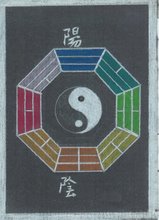
Mine looked like this before shrinking:
1. Choose an image. This needs to be made very small and saved as an .ico file so you'll need an image editor such as Irfan View. It's a free program and I love it.
You can also use an icon generator. Blog University (see below) has some links for these.
Your image needs to be around 18 pixels by 18 pixels, and best saved as Favicon.ico
2. Next you need to upload it to an image server. I use Ripway. It's free.
3. Then you have to add it into your blog template. Log into Blogger. Go to Template, then Edit HTML. Read through the HTML code and find the first tag.
4. Now we are going to put in some HTML code that contains a link to your image wherever it is being hosted, so in my case, that's Ripway.
Between the <head>and</head> tags (on a new line so it's easier to find in the future) put the following code:
<link rel="shortcut icon" href="http://myfavicon.com/favicon.ico" />Replace "http://myfavicon.com/favicon.ico" with the URL of your image host where you have your ico file stored. Blog U says, "The favicon will now appear in most browsers address bar and bookmarks," and it worked for me!
<link rel="icon" href="http://myfavicon.com/favicon.ico" />
Luckily I bookmarked the site that explains all. Go to Blog U for more info, and many thanks to them for showing me how to do this! JJ - Hope to see your favicon soon!



 Posts
Posts